
DJPlay for Android
Daily Junction Live TV in a proper native app — 200 free channels, live chat, comments, favourites and the TV guide. No account, no subscription.
SHA-256: e2a13d46b0a90646cdb17e1fd04b294ccbc1d36d43bf63dd4730226216282430
Reading this on a computer? Scan with your phone camera to open this page and grab the APK.
200 live channels
News, business, sport, science & documentaries, lifestyle and weather — every stream verified live before it's listed, and the line-up refreshes itself in the app.
Live chat & comments
The same rooms as the website: chat over every channel while you watch, and leave longer comments that stick around.
Favourites & guide
Star the channels you actually watch, search the rest, and see what's on now and next with the built-in TV guide.
Self-updating
Installed from here or a third-party store, DJPlay checks for new releases itself and updates in two taps.
Built-in support
Hit a problem? Lodge a support ticket from inside the app and track the answer in the same screen.
Free, no account
No sign-up, no subscription, no card. Pick a name if you want to chat — that's it.
Screenshots
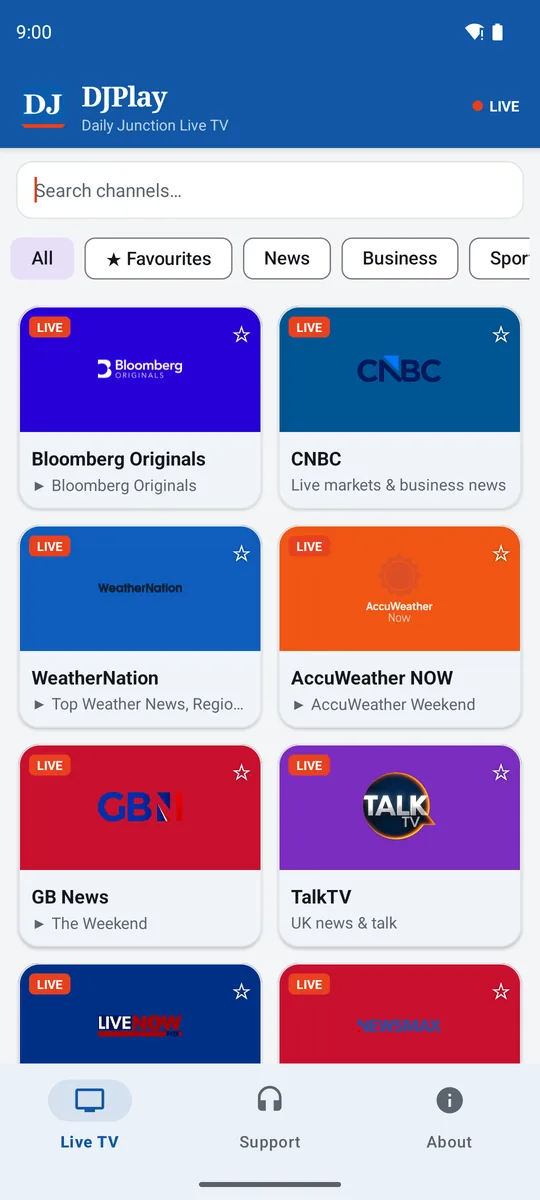
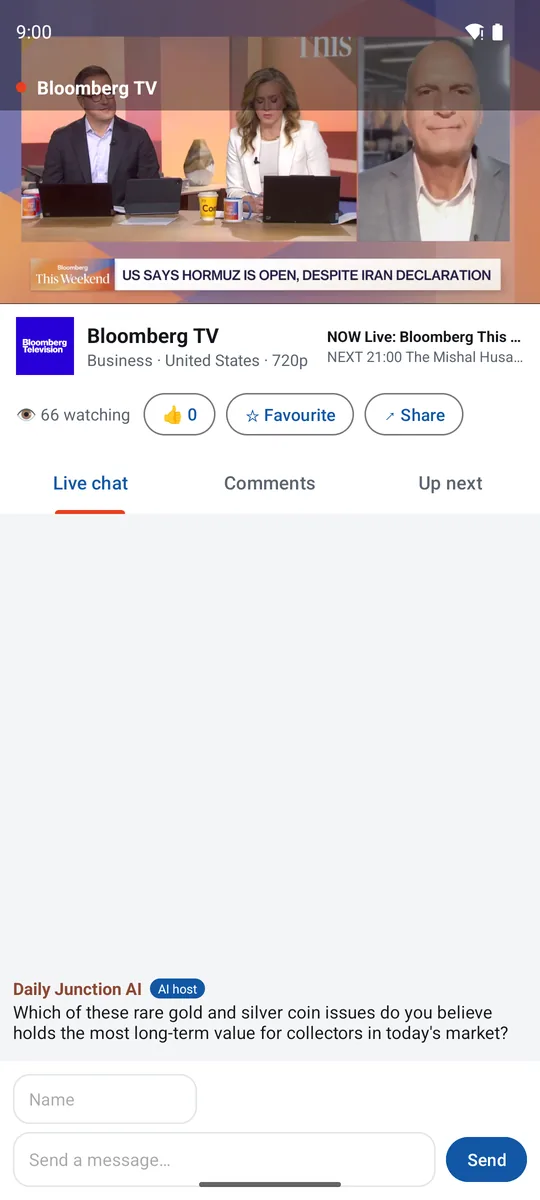
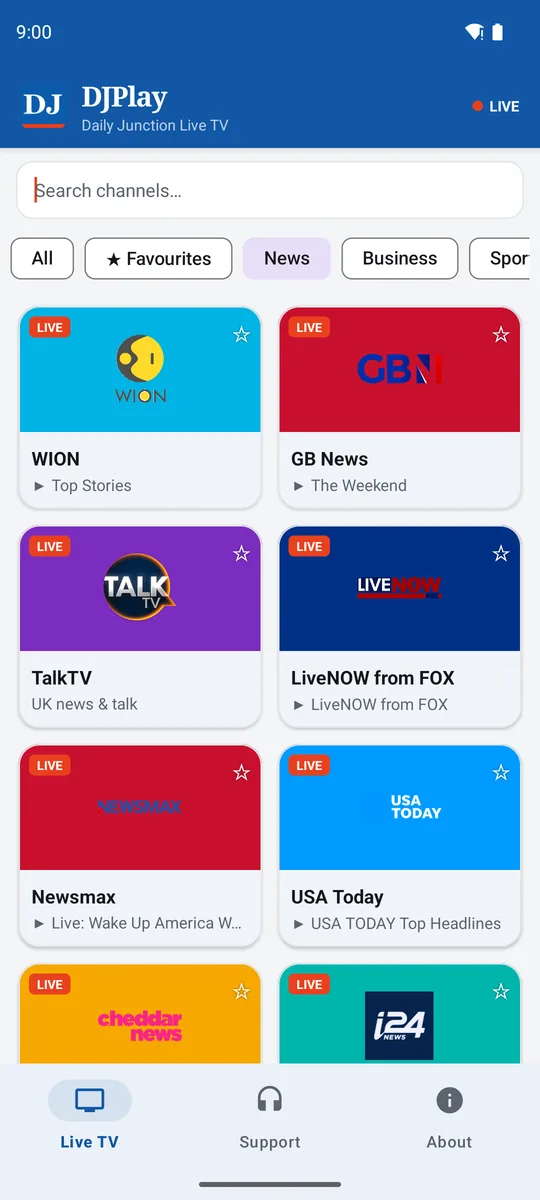
- Current version
- v1.4.0
- Size
- 3 MB
- Requires
- Android 7.0+
- Rating
- PEGI 12
- Package
- org.dailyjunction.djplay
- Price
- Free — no account, no ads SDKs

Frequently Asked Questions
Is DJPlay free to download?
Yes, DJPlay is completely free. There are no subscription fees, no in-app purchases, and no ads SDKs tracking you. Download the APK and start watching live TV immediately.
How many live TV channels are available?
DJPlay offers 200+ live TV channels from around the world, covering news, business, sport, science, documentaries, lifestyle and weather. The channel line-up is updated automatically via cron on the backend, so new channels appear in the app without requiring an app update.
Does DJPlay work on Android TV boxes?
Yes! DJPlay has native support for Android TV (Leanback launcher). You can sideload the APK onto your TV box and navigate using your D-pad remote. This is a popular way to watch live TV on the big screen without a subscription.
Can I watch live TV on the website too?
Yes! You can watch live TV directly in your browser on any device at dailyjunction.org. The native app adds a focused player, picture-in-picture, stream recovery and quick access to your saved channels.
What happens if a stream goes down?
Every channel in DJPlay has multiple backup stream URLs (candidates). If the primary stream fails, the app automatically tries the next candidate. The backend cron validates every stream daily, so broken streams are usually fixed before you notice. The TV guide shows what's on now and next for most channels.
Version history
-
v1.4.0 Current
Added — Daily Junction card on the Live tab: jump straight to games, the newsletter and your MyJunction account.
Download v1.4.0 (APK)SHA-256: e2a13d46b0a90646cdb17e1fd04b294ccbc1d36d43bf63dd4730226216282430
-
v1.3.0
Maintenance update with shared core improvements. Stability fixes and performance enhancements.
Download v1.3.0 (APK)SHA-256: aa44518e442f11f4b05e6a6614d5949b5cdfe97050ec8c590ed5687dc2f9d9e0
-
v1.2.0
Shorts: swipeable vertical video feed with its own tab. Deep links for /live and /shorts.
Download v1.2.0 (APK)SHA-256: a060f8bdc752724655b944475adcf668249a29cf17fdd6432ef22b4c85a97508
-
v1.1.0
Android TV support: sideload on your TV box — leanback launcher entry, D-pad navigation with visible focus, TV banner. Plus image-loading hardening.
Download v1.1.0 (APK)SHA-256: aaad8f93cc49e1ddac6b7d5f2825cd5adb5b80cf796d9bde9ce68e7ba6c99912
-
v1.0.1
Fixes the status bar overlapping the app bar on Android 15, and a stray 'null' programme line on channels without guide data.
Download v1.0.1 (APK)SHA-256: cf691eeef9994f998ce993d4db3e0ce1b3b1ce3c0a08ae70b43a531df0772f1e
-
v1.0.0
First public release: 200 live channels, live chat, comments, TV guide, favourites, support desk and self-update.
Download v1.0.0 (APK)SHA-256: 7baaafe9760eddeba5e802e699e7714b9f420b31f44778aba60285afa12f7a22
Installing the APK
- Download the APK above on your Android phone, tablet or TV box (Android 7.0+).
- Open the file. If Android asks, allow your browser to install unknown apps — that's standard for any app outside the Play Store.
- Tap Install, open DJPlay and you're watching.
DJPlay is also being submitted to third-party Android stores. Wherever you get it, this page always hosts the current release — and the app keeps itself up to date from dailyjunction.co.uk afterwards.